Calendar Sync for Group Events—No More "What Time Again?"
Sync your group's calendars so you can see when everyone's free without endless "when works?" threads
The problem
You're trying to schedule a game night, a dinner, or a weekend trip. You ask in the group chat. People list their conflicts. Someone suggests a time. Someone else can't do it. Twenty messages later, you still don't have a date.
The solution
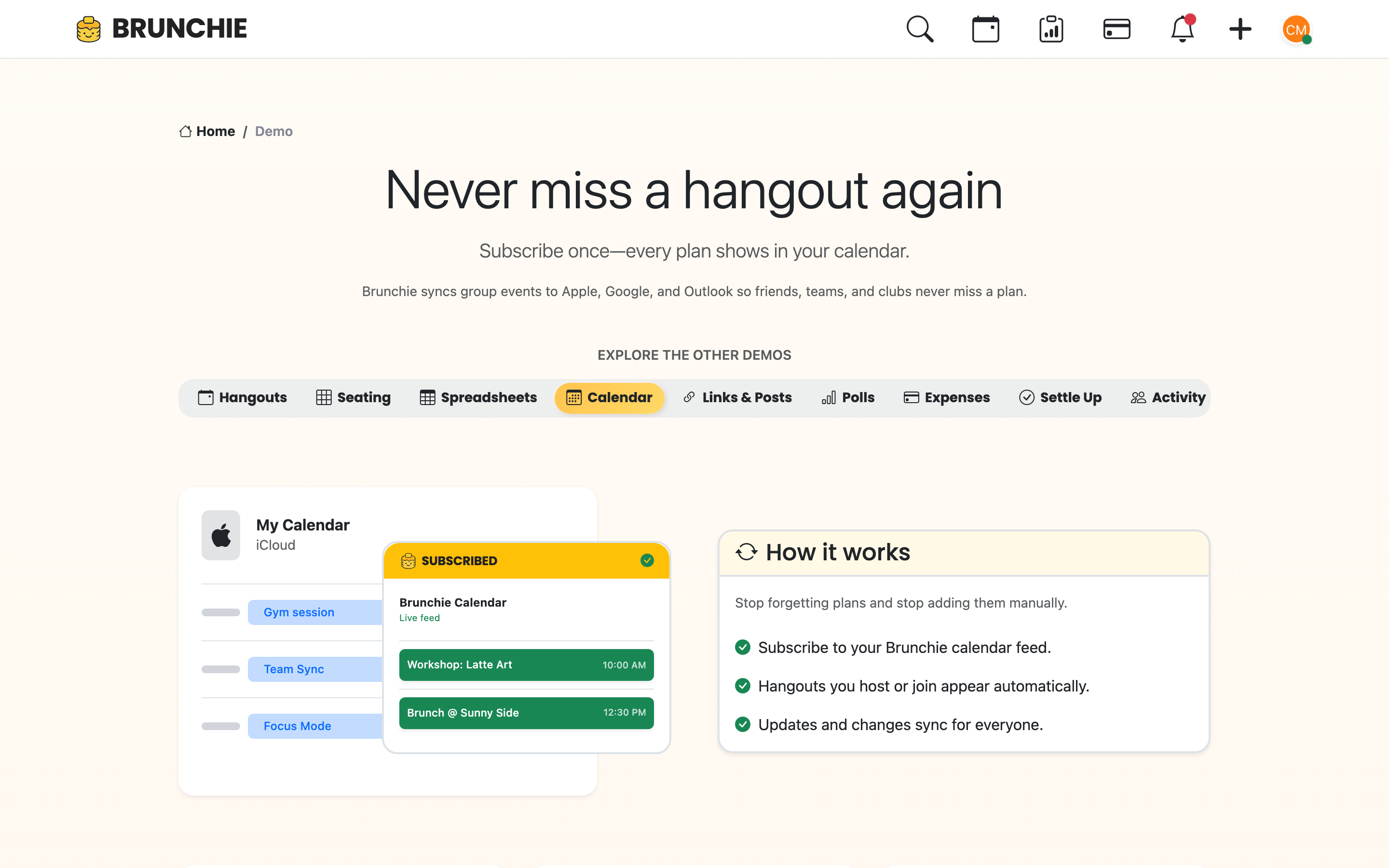
Keep everyone synced
Plans change, nobody is lost
Auto-updates so no one misses a change.
Connect your calendar. See when friends are free. Pick a time that works—no "when works?" threads.
Step 1: Connect your calendar
Google, Apple, or Outlook. Brunchie reads busy/free—not your event details. Your "dentist appointment" stays private; we just know you're busy.
Step 2: Create a hangout
Add a poll or event. See overlapping free time. No more guessing.
Step 3: Lock the date
When you find a slot everyone can do, lock it. Everyone gets the invite. Add it to your calendar with one click.
Step 4: Optional but helpful
Calendar sync is optional. Polls still work without it. But when everyone connects, scheduling gets a lot easier.
Try Brunchie free
Brunchie replaces the spreadsheet, the group chat, and the half-finished invite list. Free forever for the people we built it for.
Get started