Group Dinner Planning: Split the Bill Before You Arrive
Plan the dinner, split the bill, and skip the awkward 'who owes what' moment at the table.

The awkward moment nobody talks about
You know the scene. The check arrives. Someone ordered two cocktails, someone else had the salad. One person throws down a card and says "just split it evenly?" Meanwhile, the person who had water and a side dish is quietly doing math on their phone.
Group dinners are supposed to be fun. The food, the conversation, the catching up with people you haven't seen in weeks. But the last ten minutes — the check negotiation — can undo all of it.
The fix is surprisingly simple: plan the money part before you sit down.
Why pre-planning the bill changes everything
When everyone knows the plan before the meal starts, there's nothing to negotiate at the table. No one feels awkward. No one gets stuck covering more than their share. And the person who organized dinner doesn't become the unofficial accountant for the next three days.
Here's the idea: set up expense estimates before dinner, then log what actually happened afterward. The math gets done quietly, in the background, without anyone pulling out a calculator next to the breadbasket.
How to set it up with Brunchie
Step 1: Create a hangout for the dinner
Open Brunchie and create a new hangout. Pick a casual template or start from scratch. Give it a name — "Friday Night Dinner" or "Birthday Dinner for Alex" — and invite everyone who's coming.
This gives the group a single place to coordinate. No group chat threads that scroll into oblivion.
Step 2: Add estimated expenses
Before the dinner, create an expense entry for the estimated total. If the restaurant posts menus online, you can ballpark the per-person cost. Add it as a shared expense and assign it evenly across the group — or weight it however makes sense.
Say you're going to a spot where mains run $25-35 and drinks are $12-15. Estimate $50 per person for eight people. Log it. Everyone can see what they're expected to chip in before they even leave the house.
This heads off the "I didn't realize it would be that expensive" moment.
Step 3: Settle up after dinner
After the meal, update the expense with the actual total. Brunchie recalculates who owes what based on the real number. If someone covered the whole bill on their card, mark them as the payer and the app shows exactly how much each person owes them.
No mental math. No vague payment requests. No "I think I already paid you back?" conversations three weeks later.
For a deeper look at how expense splitting works across different scenarios, check out our expense splitting guide.
Handling the tricky scenarios
Someone orders way more than everyone else
It happens. One person gets the lobster and a bottle of wine while everyone else has pasta. With Brunchie, you can split expenses unevenly. Assign a higher share to the person who spent more. Everyone sees the breakdown. No confrontation needed.
Someone leaves early
They had the appetizer and one drink, then had to run. Adjust their share in the expense to reflect what they actually consumed. The remaining group's split adjusts automatically.
Multiple payers
Sometimes two or three people split the check across their cards at the restaurant. Log each payment separately in Brunchie, and the app figures out the net — who still owes whom and how much.
Different currencies
If you're doing a group dinner abroad — say you're on a group trip — Brunchie handles multi-currency expenses. Log the bill in the local currency and everyone sees what they owe in their own.
Beyond the bill: coordinating the dinner itself
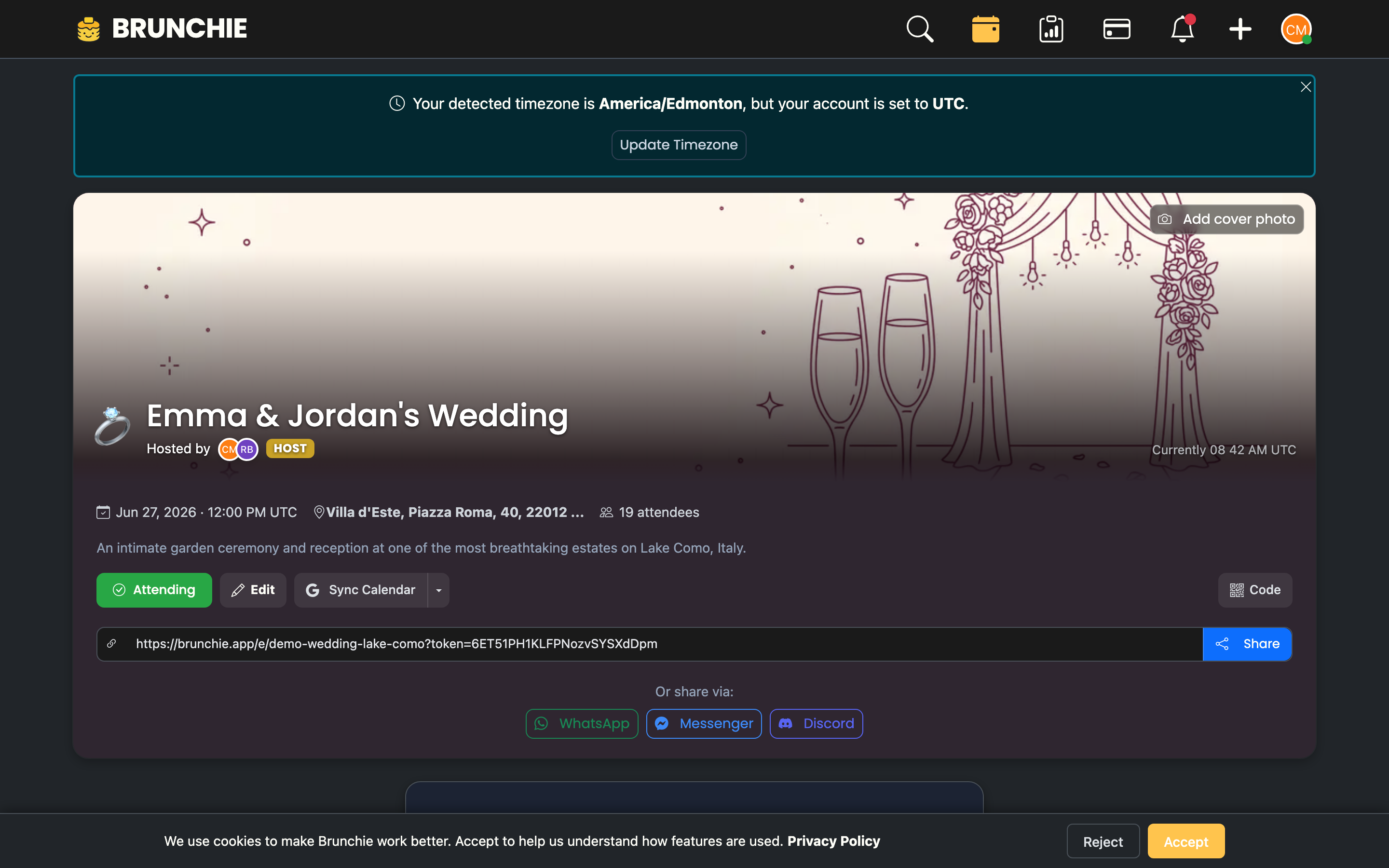
The money part is usually the biggest pain point, but it's not the only one. Coordinating a group dinner has its own logistics.
Pick a date that works
Use Brunchie's polling feature to find a date and time that works for everyone. Instead of the endless "what about Thursday? No wait, Friday? Actually Saturday works better" text chain, post a poll with options and let people vote.
Share the details in one place
Restaurant name, address, reservation time, dress code, parking info — put it all in the hangout description. When someone asks "wait, where are we going again?" you send them the link instead of scrolling back through 200 messages.
Track RSVPs
The guest list in your hangout shows who's confirmed, who's maybe, and who hasn't responded. This matters when you need to tell the restaurant how many people are coming.
The recurring dinner group
If you do monthly dinners with the same crew, this setup becomes even more valuable. Create one hangout for the group and reuse it. Each dinner's expenses stack up over time, so you can see the running balance. Maybe Sarah covered last month and Mike covers this month. Brunchie tracks it all.
Over time, the group settles into a rhythm. Expenses balance out naturally, and nobody has to keep a mental ledger of who owes what from three dinners ago.
For more on coordinating regular group meetups, see our brunch meetup setup guide.
What about just using a payment app?
Payment apps are great for sending money. But they don't help you plan. They don't track who ordered what, split uneven bills, or show a running balance across multiple events. And they definitely don't help you pick a restaurant or find a date that works for eight people.
Think of Brunchie as the planning layer. When it's time to actually send money, use whatever payment method your group already likes. Brunchie tells you the amounts — you handle the transfer however you want.
The bottom line
Group dinners should end with good memories, not bill anxiety. When you pre-plan the expenses, share the details in one place, and settle up cleanly afterward, the dinner stays about the dinner.
No more calculator apps at the table. No more "I'll get you next time" IOUs that everyone forgets. No more silent resentment from the person who always ends up overpaying.
Set up your next group dinner at brunchie.app and let the app handle the math so you can focus on the meal.
Try Brunchie free
Brunchie replaces the spreadsheet, the group chat, and the half-finished invite list. Free forever for the people we built it for.
Get started