Planning a Group Trip Abroad? Here's How to Do It Free
International group trips are complicated enough. Your planning tool shouldn't add to the chaos.

Group trips abroad are a different beast
Planning a weekend trip to a nearby city is manageable. You pick a date, book a place, and figure out the rest when you get there. International group trips are nothing like that.
You're coordinating across time zones before you even leave. Flights arrive at different times. The currency is different — sometimes multiple currencies across a multi-country itinerary. Everyone has different budgets, different activity preferences, and different tolerance for planning. And the group chat becomes a graveyard of unanswered questions and conflicting suggestions within 48 hours.
Most planning tools aren't built for this level of complexity. They handle one thing well — maybe itineraries, maybe expenses — but not the full picture. You end up with a spreadsheet for the budget, a shared doc for the itinerary, a poll app for activity votes, and a group chat trying to tie it all together.
That's three tools too many. Here's how to do it with one.
Start with the group, not the itinerary
The first mistake most groups make is jumping straight into booking. Someone finds cheap flights, someone else finds a hotel, and suddenly you've got commitments before you've agreed on dates or budget.
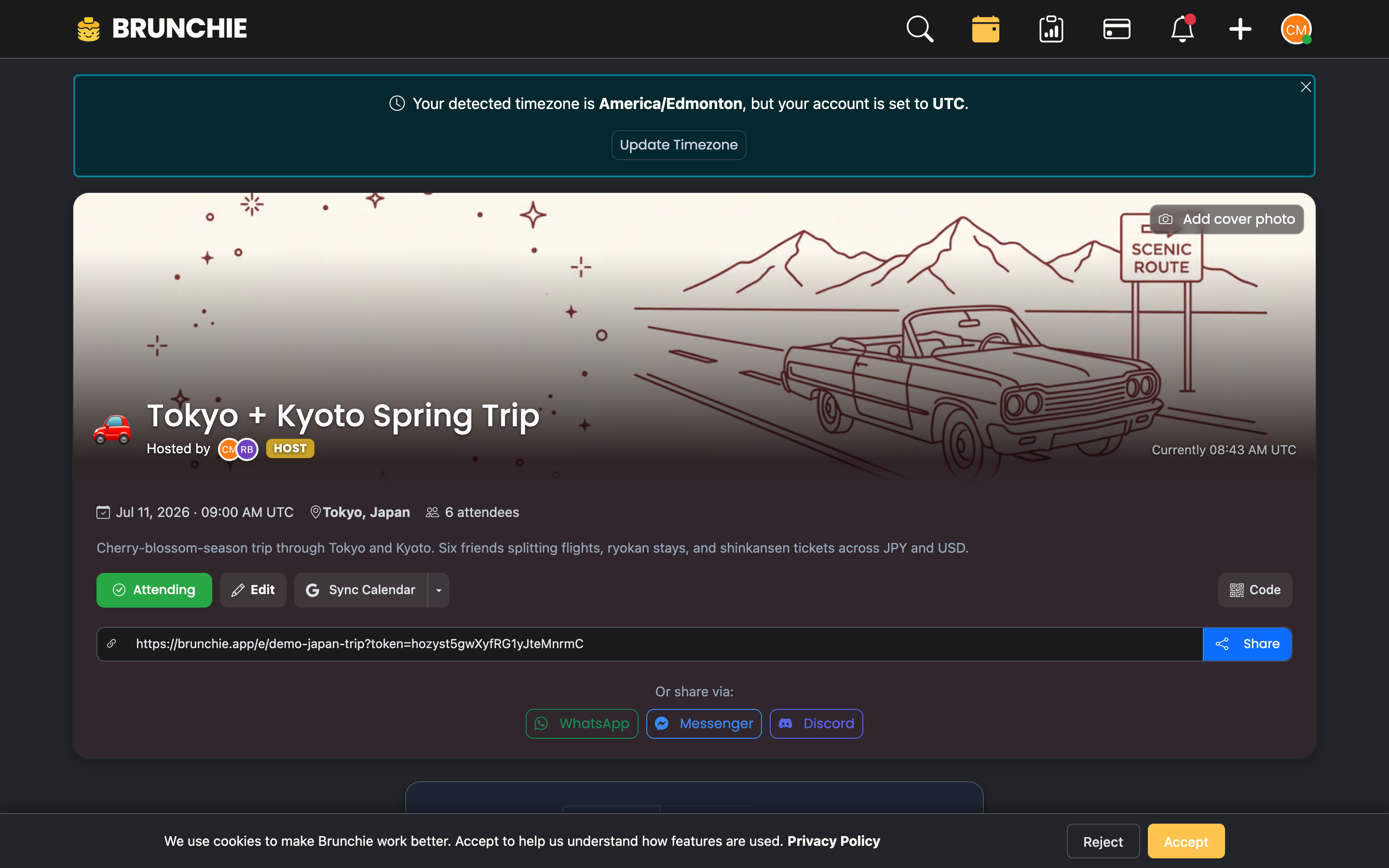
Start by creating a Brunchie hangout for the trip. Invite everyone and use it as the single place for all trip communication and planning. Before anyone books anything, use the polling feature to align on the basics:
- Dates: What two-week windows work for everyone? Poll it.
- Budget range: What's everyone comfortable spending per day? Poll it.
- Must-do activities: What does everyone want to prioritize? Poll it.
Getting alignment before commitments prevents the "I already booked my flight but now we're changing dates" problem.
For a detailed setup walkthrough, see our group trip planning guide.
Build the itinerary together (with optional host-only logistics)
Once dates and general plans are set, build the itinerary in the hangout. Each day gets its own section with activities, times, addresses, and notes. Everyone can see what's planned and suggest additions or changes.
Tip for trip leaders: If you want to keep some details out of the public schedule — Airbnb door codes, host phone numbers, surprise dinner reservations, payment cues — open the itinerary manager and click + New itinerary. Name it "Trip leader runbook", then tap Hide on the Guests row to make it host-only. The new itinerary never appears in the guest view, the shared .ics calendar feed, or the guest preview link. Other group members see only the public schedule. Same hangout, two different views. See the itinerary guide for the full audience model.
Handling time zones
If your group is spread across time zones during the planning phase, this matters more than you'd think. "Let's meet at 2pm" means different things to someone in New York vs. someone in London. Brunchie's calendar sync handles time zone conversion so event times display correctly for each person.
Activity polling
You don't need everyone to agree on everything. Some people want the museum day. Others want the beach. Use polls to gauge interest in optional activities. If six people want the food tour and two don't, the two can do their own thing that afternoon without derailing the group.
This is how you avoid the "we spent 45 minutes in the group chat debating and still didn't decide" cycle.
The multi-currency expense reality
This is where international trips get genuinely complicated. You're paying in euros at the hotel, yen at the restaurant, dollars for the pre-booked tours, and your home currency when someone pays you back.
Most expense-splitting apps handle one currency. When you're bouncing between currencies — or when different group members are paying in different currencies based on their card — the math gets messy fast.
Brunchie handles multi-currency expenses natively. Log each expense in the currency you paid, and the app tracks balances across currencies. At the end of the trip, everyone settles up in their preferred currency. No manual conversion, no spreadsheets full of exchange rate formulas.
For a detailed look at how expense splitting works across a trip, check out our trip expense tracker post and the expense splitting guide.
Who paid for what
International trips tend to have an uneven payment pattern. One person books the Airbnb because they have the right credit card. Another person pays for group dinners because they speak the local language. Someone else handles all the train tickets because they figured out the booking app.
Brunchie tracks who paid what across the entire trip. At the end, instead of a tangled web of "you owe me $47 but I owe you $32 from that other thing," you get a net settlement. Maria pays Alex $85. Done.
Real example: Japan trip
A group of six friends planning two weeks in Japan. Three cities, bullet trains between them, a mix of hotels and ryokans, and a constant stream of expenses in yen.
Here's how they used Brunchie:
- Pre-trip: Polled dates, budget range, and must-visit cities. Built the itinerary with transportation between cities, hotel details, and activity options per day.
- During the trip: Logged expenses as they happened — restaurants, trains, temple entries, convenience store runs. Each expense tagged to the payer with the amount in yen.
- Post-trip: Settled up in a single round. The app calculated net balances across all expenses and showed exactly who owed whom and how much.
The group spent zero time doing math and zero time arguing about money.
For the full breakdown, see our Japan trip setup guide.
What about shared documents and spreadsheets?
Shared docs and spreadsheets are familiar, but they create specific problems for international group trips:
- No mobile-first experience: You're navigating a foreign city on your phone. Opening a spreadsheet to check the itinerary is painful. Brunchie's interface is built for phone screens.
- No integrated expenses: Your itinerary doc and your expense spreadsheet are separate. Changes in one don't reflect in the other. In Brunchie, everything lives in the same hangout.
- No polling: Group decisions require back-and-forth in the chat. With built-in polls, decisions happen faster and with less noise.
- No settlement calculation: Spreadsheets can track expenses but calculating the optimal settlement between six people across three currencies? That's a formula nightmare.
Keeping it flexible
The best group trips leave room for spontaneity. You don't want an itinerary so rigid that discovering an amazing street market feels like going off-script.
Build your itinerary with firm anchors (hotels, trains, tours with reservations) and flexible slots (free afternoons, "explore the neighborhood" time). The hangout structure supports this naturally — planned activities are visible, but there's space for in-the-moment additions.
When someone discovers something amazing, they add it to the hangout. The group sees it, and whoever's interested joins. No need to text six people individually.
Before you book anything
If you're in the early stages of planning a group trip abroad, do these three things first:
- Create the hangout and invite everyone. This replaces the group chat as the planning hub.
- Poll the basics — dates, budget, priorities. Get alignment before commitments.
- Set up expense tracking from day one. Don't wait until the trip starts to figure out how you'll split costs.
Everything else — flights, hotels, activities — flows from those decisions.
Start planning your group trip at brunchie.app and keep the chaos out of your group chat.
Try Brunchie free
Brunchie replaces the spreadsheet, the group chat, and the half-finished invite list. Free forever for the people we built it for.
Get started