One App to Replace Your Event Planning Stack
Stop juggling spreadsheets, expense apps, and group chats. Brunchie puts events, expenses, polls, and seating in one place.

The five-app problem
Think about the last event you planned. Not a casual dinner—something with actual logistics. A birthday party, a group trip, a wedding, a team offsite.
How many tools did you use?
If you're like most people, the answer is somewhere between four and six. A spreadsheet for the guest list. A group chat for coordination. A payment app for splitting costs. A calendar app for scheduling. Maybe a dedicated seating chart tool. And a Google Doc or shared note for the itinerary.
Each tool does one thing reasonably well. But together, they create a fragmented mess where information is scattered, nothing is connected, and you—the planner—are the only person who knows where everything lives.
The hidden cost of tool sprawl
Context switching kills momentum
Every time you switch between apps, you lose a little focus. You're updating the budget spreadsheet, then you jump to the group chat to answer a question about timing, then you open the seating chart tool to move someone, then you check the payment app to see who's paid. Each switch is small, but they add up.
Research consistently shows that context switching reduces productivity. For event planners—especially people planning alongside a full-time job—this friction turns a manageable task into an exhausting one.
Information silos create confusion
When your guest list lives in a spreadsheet, your seating chart lives in another app, and your expenses live in a third, there's no connection between them. You add a guest to the spreadsheet but forget to add them to the seating chart. Someone pays for flowers but you don't log it in the budget tracker. The group chat decides to change the venue, but the itinerary doc still shows the old location.
Silos breed mistakes. And mistakes in event planning lead to stressed-out planners and confused guests.
Not everyone has access to everything
You shared the spreadsheet with your co-planner, but they don't have access to the seating chart tool because it requires a separate account. Your parents can see the guest list but not the budget. The wedding party can see the group chat but can't find the itinerary doc you shared three weeks ago.
Managing access across five tools is a full-time job in itself.
What a single-app approach looks like
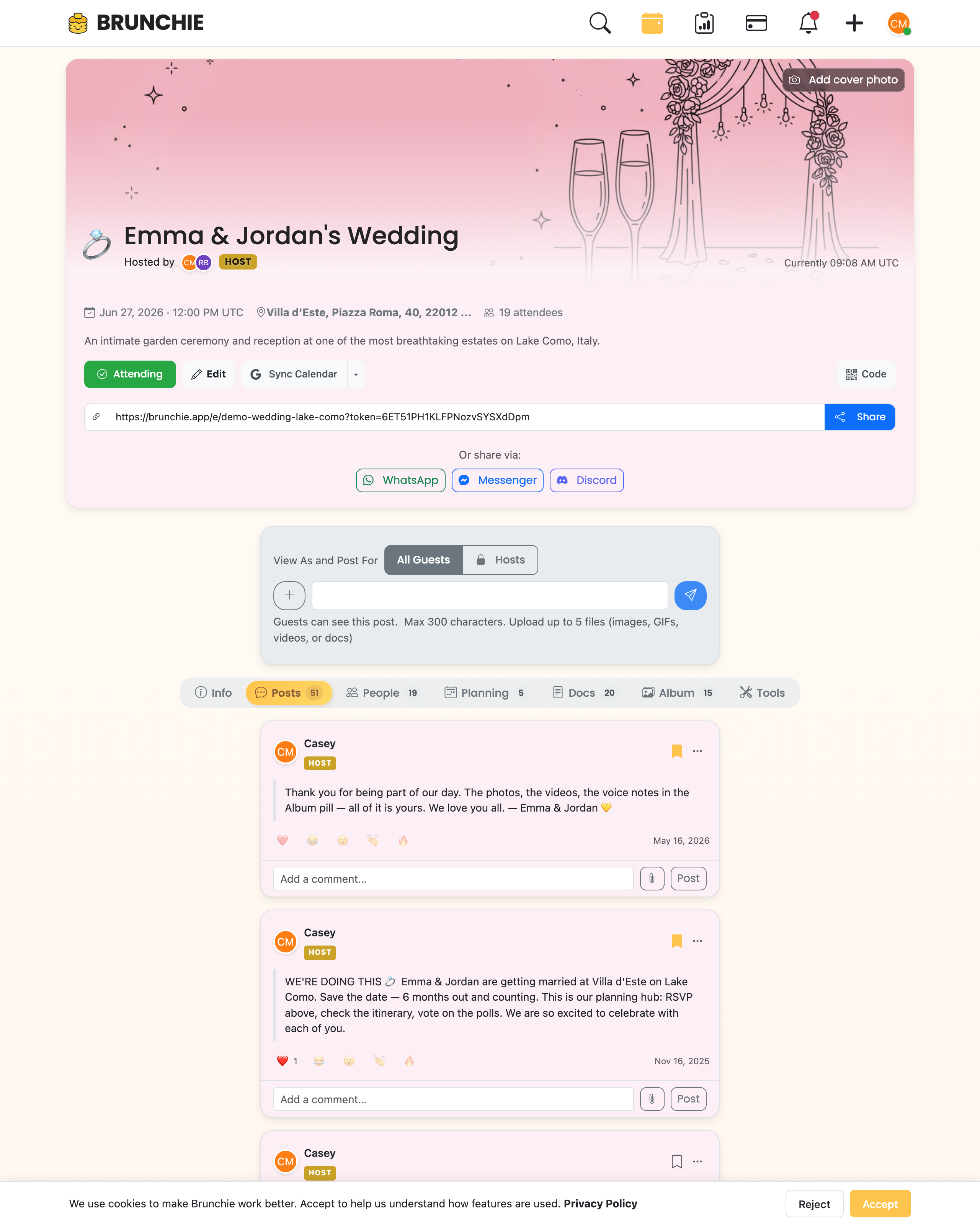
Imagine everything in one place. One link that your co-planner, your wedding party, or your friend group can open to see all of it: the guest list, the itinerary, the expenses, the polls, the seating chart. No separate logins. No hunting for links. No "which app was that in again?"
That's what Brunchie does. Here's how the pieces fit together.
Guest list and RSVPs
Add guests, track RSVPs, note dietary restrictions and accessibility needs. The guest list isn't isolated—it connects directly to the seating chart. Add someone to the guest list and they're available to seat. Remove them and their seat opens up.
Seating charts
A visual, drag-and-drop seating chart where you add tables, set capacities, and place guests. Mark preferences like "must sit together" and "keep apart." Then let auto-assign handle the hard work. The seating chart lives in the same hangout as everything else—no separate tool, no separate login. See our seating charts guide for the full walkthrough.
Expense tracking and splitting
Add expenses as they happen. Assign them to the people involved. The settle-up calculation runs automatically, showing who owes whom. No spreadsheet formulas, no manual math, no chasing payments through a separate app. Read more in the expense splitting guide.
Polls and decisions
Need to pick a date, choose a venue, or decide on a menu? Create a poll. Single choice, multiple choice, or ranked. Set a deadline. Get answers without scrolling through a group chat. Polls live right alongside the rest of your event planning.
Itinerary and schedule
Build a shared itinerary with dates, times, locations, and notes. Multi-day events work naturally—add a day, add activities, share the link. Guests can sync events to their calendar with one tap. Read more about how calendar sync works in our calendar sync post.
Spreadsheets and checklists
For the things that don't fit neatly into the above categories—vendor contacts, packing lists, task assignments—Brunchie includes built-in spreadsheets. They live in the hangout alongside everything else, so you don't need a separate Google Sheet.
Real examples
A wedding
Before Brunchie: Google Sheets for the guest list, a seating chart app for table assignments, a budget spreadsheet for expenses, WhatsApp for coordination, and a shared Google Doc for the weekend itinerary. Five tools, five links, constant switching.
With Brunchie: One hangout. Guest list, seating chart, expenses, itinerary, and polls all in one place. One link shared with the wedding party. The wedding setup guide shows how to set this up in about ten minutes.
A group trip
Before Brunchie: A group chat for planning, a spreadsheet for flights and hotels, a payment app for splitting costs, and a shared note for the activity list. Four tools, nobody knows where anything is.
With Brunchie: One hangout with the itinerary, expenses, and polls. The Japan trip setup guide is a real-world example of this approach.
A birthday party
Before Brunchie: A text thread for RSVPs, a spreadsheet for who's bringing what, a seating chart scribbled on paper, and a payment app for the gift fund.
With Brunchie: One hangout with a guest list, seating chart, expense tracker, and a poll for gift ideas. See the birthday party setup guide.
The simplicity argument
This isn't about having more features. It's about having fewer tools. Every tool you eliminate is one less thing to manage, one less link to share, one less login to remember, and one less place where information can fall out of sync.
Event planning should be about the event—the people, the experience, the celebration. Not about managing a stack of disconnected apps.
Try consolidating your next event into one place at brunchie.app.
Try Brunchie free
Brunchie replaces the spreadsheet, the group chat, and the half-finished invite list. Free forever for the people we built it for.
Get started