When the Group Splits Up: Scheduling Overlapping Activities in One Itinerary
Real group plans don't move single file. Some people golf, some hit the spa, the photos run during cocktail hour. Here's how to schedule overlapping activities so everyone can see both at once — instead of burying them in a list.
The group photo on the brochure is a lie. Eight people, one van, everybody doing the same thing at the same time — that's not how a real trip goes.
What actually happens: half the group wants to golf, the other half wants the spa. The early risers do the sunrise hike while everyone else sleeps in. On the wedding day, the photographer is grabbing the bridal party at the exact moment guests are arriving for cocktails. Plans don't move single file. They fork.
And that's the one thing a plain to-do list of times can't show you. A list says "9:00 Golf" then "9:30 Spa" on the next line, and now two people are confused about whether they're supposed to be in both places. The most important information — these are happening at the same time, pick one — is the exact thing a list hides.
See both tracks at once, not stacked in a list
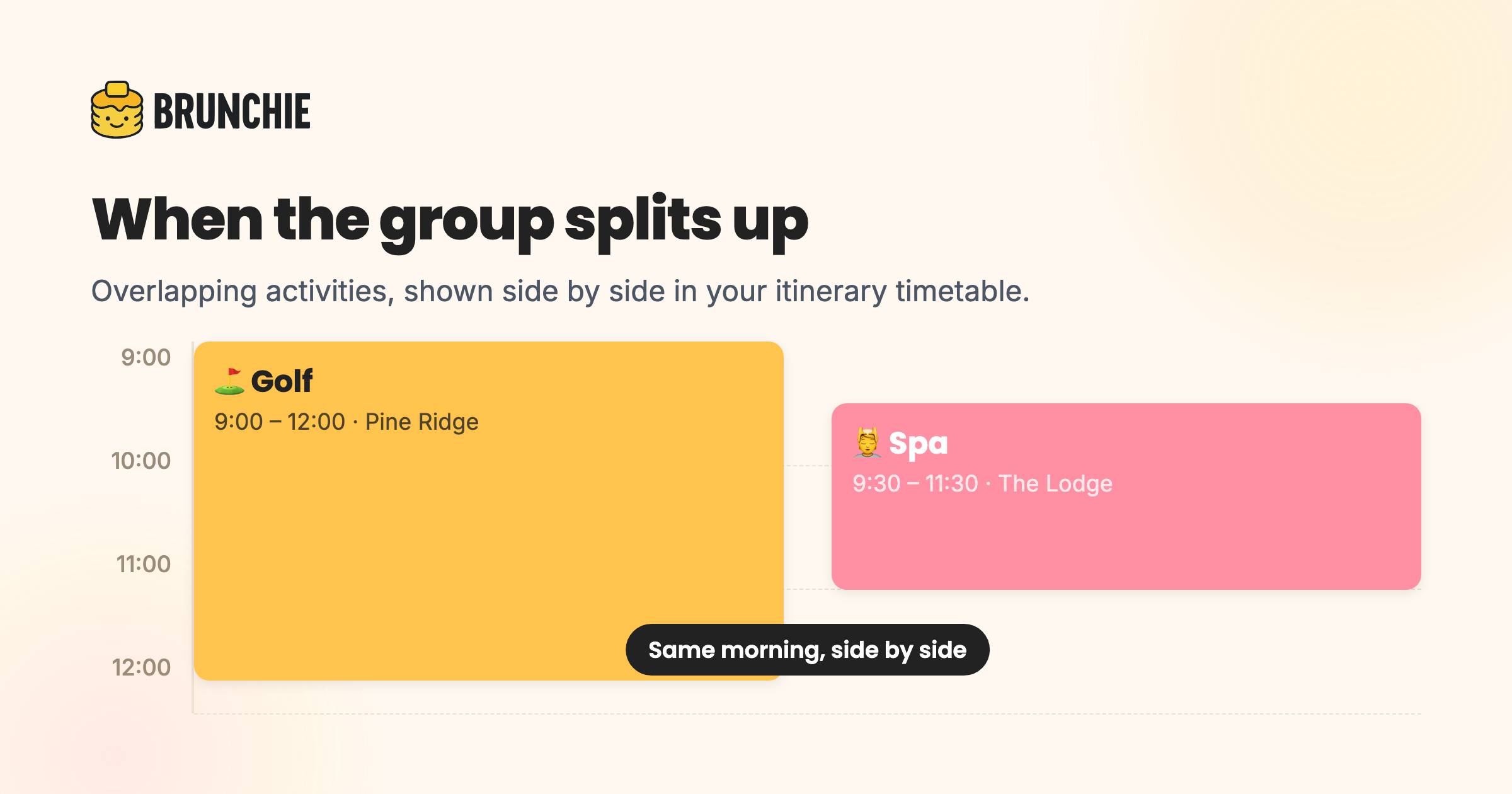
In Brunchie, every schedule has a timetable view that lays your items out on a time grid like a calendar day. The payoff shows up the moment two things overlap: instead of stacking them as consecutive lines, the timetable puts overlapping activities side by side in the same column. Each block narrows to share the space — two overlapping items each take half the width, three split into thirds.
So "Golf 9:00–12:00" and "Spa 9:30–11:30" sit next to each other, visibly parallel. Nobody has to mentally cross-reference two lines to realize it's a choice. You can see the fork.

That's the difference between a schedule that records the plan and one that communicates it. (Prefer a clean top-to-bottom read instead? There's a List tab right next to the timetable — same items, classic order. The timetable is just the view that makes the overlaps obvious.)
A quick honesty note, because it matters: Brunchie shows overlaps, it doesn't police them. It won't pop up a warning or stop you from scheduling two things at once — because overlapping is usually exactly what you meant. You stay in control; the app just makes the parallel plan legible.
How it comes together, start to finish
The side-by-side timetable is one piece of a bigger loop. Here's the whole arc of a group trip where the plan forks.
Decide. Before anyone books anything, put the fork to the group. A quick poll — golf or spa Saturday morning? — turns an assumption into a real headcount. Now you know the two tracks aren't 7-and-1; they're 4-and-4, and both are worth scheduling.
Coordinate. Both tracks go into one itinerary. In the timetable they land side by side for that Saturday-morning window, so the whole group sees the choice in one glance. Give each activity a start and end time and it shows as a block of the right length. Add the addresses — pick each one from the location suggestions — and every stop also drops onto the hangout map as a numbered pin, color-coded by schedule, so people can see where their morning actually is. Full mechanics in the itinerary & schedule guide.
Spend. The golf foursome's tee times get split among the four of them; the spa group splits their bookings among themselves — you assign each expense to just the people on that track, not the whole group. And if your trip is part American, part Canadian, everyone settles in their own currency instead of arguing about exchange rates at the end.
Remember. The two tracks rejoin at dinner — and in a shared photobooth album. The golf crew's photos and the spa crew's photos land in the same place, so the day comes back together even though the morning split apart.
Where overlapping plans actually show up
It's not just golf-versus-spa. Once you can see parallel tracks, you start scheduling them on purpose:
- Group trips — an adventure track and a relaxed track for the same afternoon, so nobody feels dragged along or left out.
- Weddings — hair-and-makeup running alongside groomsmen photos; the vendor runbook ticking in parallel with the guest-facing schedule.
- Conferences and retreats — two breakout sessions in the same hour, shown beside each other instead of buried in an agenda PDF.
- Bach trips — the low-key crew and the big-night-out crew split for the evening, both on the same plan.
Each of those is two things at once. A list flattens them into a confusing sequence. A timetable shows them for what they are: a choice, side by side.
Personal note: the trip that taught me this was a long weekend where four of us went mountain biking and three went to a winery, same afternoon. We'd "planned" it in a group chat. Two people showed up for the bikes who'd meant to go to the winery, because the messages read like one list, not two options. Seeing the two blocks next to each other would have saved the whole muddle — that's the entire reason this is worth writing about.
Plans fork. Your itinerary should show the fork. Start a free hangout, build the schedule once, and let the timetable do the explaining — read the itinerary & schedule guide to set it up, or see the full group-trip workflow for everything around it.
Common questions
Can one itinerary show two activities happening at the same time?
Does Brunchie warn me if two events clash?
How do I split the cost when only some people did an activity?
Try Brunchie free
Brunchie replaces the spreadsheet, the group chat, and the half-finished invite list. Free forever for the people we built it for.
Get started