Run a Tournament Bracket for Game Night, Rec League, or a Bach Trip — Inside Your Hangout
No paper bracket, no clunky app, no 'wait, who plays who again?' Brunchie builds the knockout draw, you tap the winners, everyone follows live.
What's a bracket doing inside a hangout?
It's a knockout tournament tracker — free, built right into any Brunchie hangout. No separate app to install, no bracket-site account to share with everyone, no paper draw that gets pizza on it by round two.
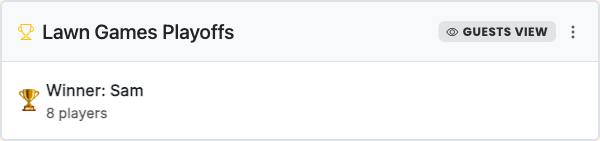
Here's the whole flow: open your hangout, go to Docs, tap Add a bracket. Give it a name, paste in your players (one per line) or pull from your hangout's guest list — and Brunchie draws the single-elimination bracket automatically. Got an odd number of players? Byes are handled. You don't have to figure out seeding math.
Once you're playing, the host taps the winner of each match. That person advances to the next round automatically, all the way up to the champion. No manual redrawing, no erasing names on a whiteboard, no one leaning over asking "wait, so who's in the other semifinal?"
We built this because the Brunchie team kept watching people run cornhole brackets at bach trips on folded napkins. Then the napkin would disappear. Then the argument would start.
Why paper brackets and random tournament sites keep failing your group
Running a knockout bracket for your rec-league night or game-night Commander pod sounds like a solved problem. In practice, it always breaks down one of three ways.
Option one: the paper bracket. It works for the first two rounds. Then someone updates it wrong, the host is the only one who can see it, and half the group is playing blind. By the semifinals, two people think they're playing each other and they're both wrong.
Option two: a screenshot shared in the group chat. Outdated the second the first match finishes. You're either screenshotting and reposting after every round (nobody does this) or the group is playing off a stale bracket from round one. Results live in one person's head and nowhere else.
Option three: a standalone tournament-bracket site. Some of these are decent, but they ask every player to create an account, they're not connected to your actual hangout, and results don't go anywhere useful. The link dies when the session ends. Nobody bookmarks it.
What you actually want is something your whole group can see, that stays current as results come in, and that lives in the same place as the rest of the trip or night. That's the bracket in Brunchie.
End to end: the rec-league pickleball ladder
Say your Thursday pickleball group wants to run a ladder at the end of the season. Eight people, single-elim, winner takes the "official" title of person who gets to pick the post-match bar every week.
You've already got a Brunchie hangout for the season — it's where you track costs and share the schedule. Before Thursday's final, you open Docs → Add a bracket, paste in all eight names (or select them from the guest list), and the draw is live. Seedings, byes, first-round matchups — all set. You share the hangout link in the group chat and everyone can see who they're playing before they even get there.
During the night: Maria beats Jason in round one. You tap Maria as the winner. She advances. The bracket updates on every phone that has the link open — no refresh needed, no one asking "who won that match?"
The "no account needed" part matters more than it sounds. The guy who's been in the Thursday group for three years and still hasn't downloaded the app? He can follow the bracket live on the share link. He'll just be annoyed when he loses in the semis.
After the final, the champion and the results post to the hangout feed automatically. The group reacts. The winner screenshots it. It lives in the hangout forever, not in a group chat that's about to get buried.
Bach trip cornhole tournament
This is where brackets stop being organizational and start being the bit. Twelve guys, a lake house, a Saturday afternoon with nothing scheduled yet. You set up a cornhole tournament before the first drink is poured.
Open the hangout (you already have one — it's where the itinerary, the expense splitter, and the photobooth album live), go to Docs, add a bracket. Paste in twelve names. The draw is set. Odd numbers would get a bye, but you've got twelve so everyone's in from round one.
As matches finish, the host taps the winner from the bracket view. Everyone can see the updated draw on their phone — even the two guys who didn't technically "join" and are just following via the share link. Ask Benny "who's in the final?" and he'll tell you without you having to find the host.
The champion gets called out in the hangout feed. Your group reacts. Six months later someone remembers that tournament and wants to know who won — it's still there.
The bracket living on the hangout means it's connected to the rest of the trip. The photobooth has the trophy-moment photo. The feed has the champion announcement. The expense log has the beer money. The whole day is in one place instead of scattered across three apps and a camera roll.
Game night: the Magic Commander league Top 8
Game night brackets work the same way, and they add a layer: your players probably have nicknames, Commander deck names, or inside references you'll want in the bracket. Paste them in however you want — "Jordan (Atraxa)" is a perfectly valid player name.
Eight players, single-elimination. You're running a one-night Commander pod tournament, top cut after Swiss rounds. Once you're in the elimination bracket, the host records results after each game. Players who got knocked out earlier in the night can follow the bracket on the share link from across the table while their next game is being set up. They know who's in the final before the final starts.
The champion announcement hits the feed, and your game-night group — which has been using the hangout to track whose house it's at and split snack costs — has a complete record of the night.
What's in v1 (and what isn't)
Single-elimination: you lose, you're out. That's the format right now. It's the right one for most one-night setups.
Round-robin, double-elimination, and league standings aren't here yet. If your rec league runs across multiple nights with ongoing standings, you'll still need a separate solution for the full league tracking — the bracket is the right tool for a playoff or final, not the full season.
Brackets are free, no player cap, no upgrade required. They live under the Docs tab in your hangout alongside checklists, itineraries, and seating charts.
Single-elim also tends to move faster, which is the right call when you've got a cornhole tournament running alongside the grill and nobody wants a best-of-three format on a Saturday afternoon.
How to set yours up
- Open your hangout (or create one at brunchie.app if you don't have one yet)
- Go to Docs → Add a bracket
- Name it, paste in players, tap Create
- Share the hangout link so everyone can follow along
- As matches finish, tap the winner to advance them
That's it. The bracket is live, it's connected to your hangout, and your group can follow it without downloading anything or creating an account.
For a walkthrough of how the hangout itself is set up — polls to decide the Saturday activity, an itinerary the group actually checks, and the expense splitter — see the bach trip planner guide.
Try Brunchie free
Brunchie replaces the spreadsheet, the group chat, and the half-finished invite list. Free forever for the people we built it for.
Get started