Brunch Meetup Setup Guide
Coordinate brunch with friends—polls for date and venue, no endless group chat threads
Brunch Meetup with Brunchie
Pick a date, pick a spot, and show up—Brunchie handles the coordination so you don't have to.
What you get
Run a quick poll and lock it in.
Track who owes what and move on.
Share a plan that is easy to follow.
Step 1: Create a hangout
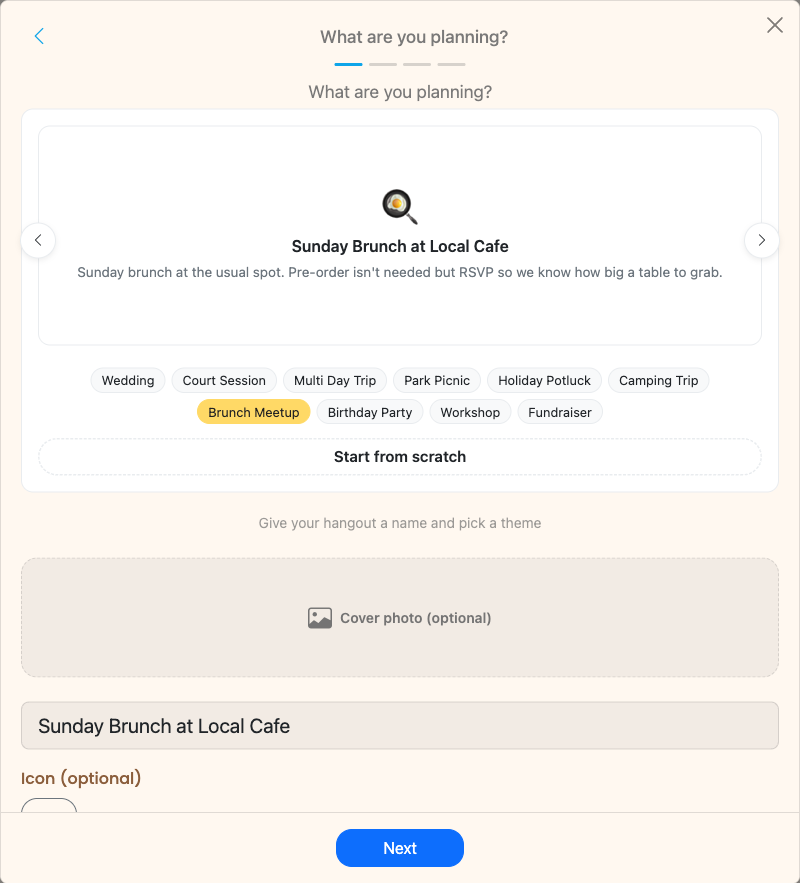
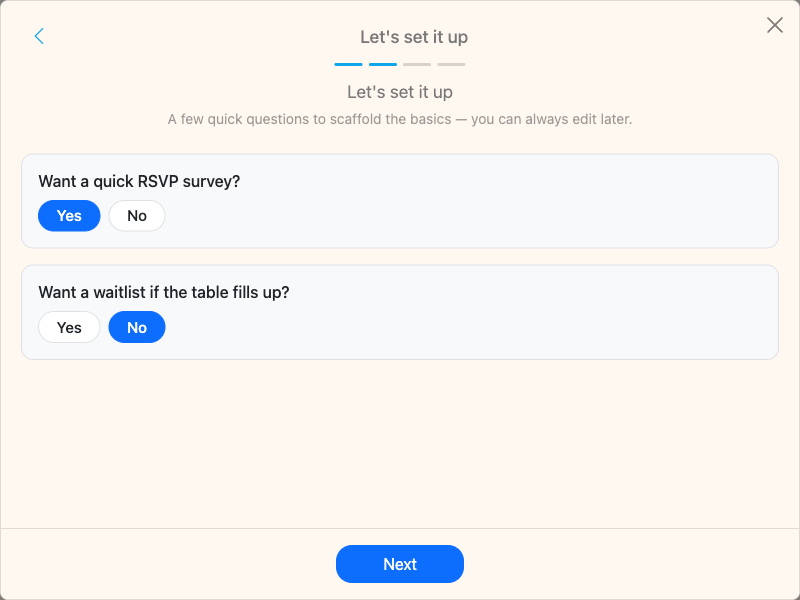
Tap + and pick Brunch Meetup from the template carousel in Step 0 of the wizard. The template pre-fills a title, description, and a starter RSVP survey so you get a headcount before booking the table. Add a poll (next step) when you want the group to vote on the date or restaurant.
When choosing venue options for your poll, aim for 3-5 restaurants. Too many options leads to decision paralysis. Consider factors your group cares about: outdoor seating, reservation availability, parking, and whether the spot takes large parties without a long wait.
Step 2: Run the poll
Friends vote without replying-all. Lock the poll when you have a winner—date and venue decided.
Give your group a clear deadline to vote. Two to three days is usually enough. Once the poll closes, the result is final and everyone can see the plan at a glance.
Step 3: Split the bill
Add expenses as they come in. Brunchie tracks who paid what and who owes whom.
Whether one person covers the whole bill or you split by item, the expense tracker handles it. No more payment requests flying around days later. See our expense splitting guide for advanced splitting options like uneven splits and tax adjustments.
Step 4: Share the details
One link with time, place, and who's coming. No digging through messages.
Making it recurring
Brunch is best as a regular thing. Here is how to keep the momentum going:
- Set a cadence: Monthly works well for most groups. Pick a recurring weekend (first Saturday, last Sunday) so people can plan ahead.
- Rotate the organizer: Take turns creating the hangout. It keeps the energy fresh and spreads the work around.
- Rotate restaurants: Keep a running list of spots you have tried and want to try. The polls are a great way to surface new options each month.
- Use the same group: Invite your core brunch crew to each new hangout. Regular attendance builds the habit.
- Cap the group if needed: If the restaurant can only seat 8, set an attendee limit so signups are first come first served.
For more ideas on keeping your brunch group engaged, read our posts on coordinating group brunch and brunch group coordination tips.
Use cases
- Weekend brunch with friends: The classic. Poll for date and place, split the bill, done.
- Post-workout brunch: Coordinate the workout time and the brunch reservation in one hangout.
- Birthday brunch: Combine with expense splitting so the birthday person's meal is covered by the group.
- Work team brunch: Great for remote teams visiting the same city. Use the poll to find a time that works across schedules.
Tips
- Book a reservation as soon as the poll closes. Popular brunch spots fill up fast, especially on weekends.
- Add dietary notes to the hangout description so the group picks a spot that works for everyone.
- If your group is 8+, call the restaurant ahead to confirm they can seat you together.
- Use the itinerary to note the reservation time and address so no one has to ask "where was it again?"
Try Brunchie free
Brunchie replaces the spreadsheet, the group chat, and the half-finished invite list. Free forever for the people we built it for.
Get started