Park Picnic Setup Guide
Plan a potluck picnic with sign-up sheets and logistics—no duplicate dishes
Park Picnic Setup with Brunchie
A relaxing day at the park with friends and great food. Brunchie's potluck sign-up keeps everyone coordinated. A picnic is the lightest stop on the summer group hangouts playbook — same one link, fewer moving parts.
What you get
Run a quick poll and lock it in.
Collect info without messy threads.
Share a plan that is easy to follow.

Step 1: Create your hangout
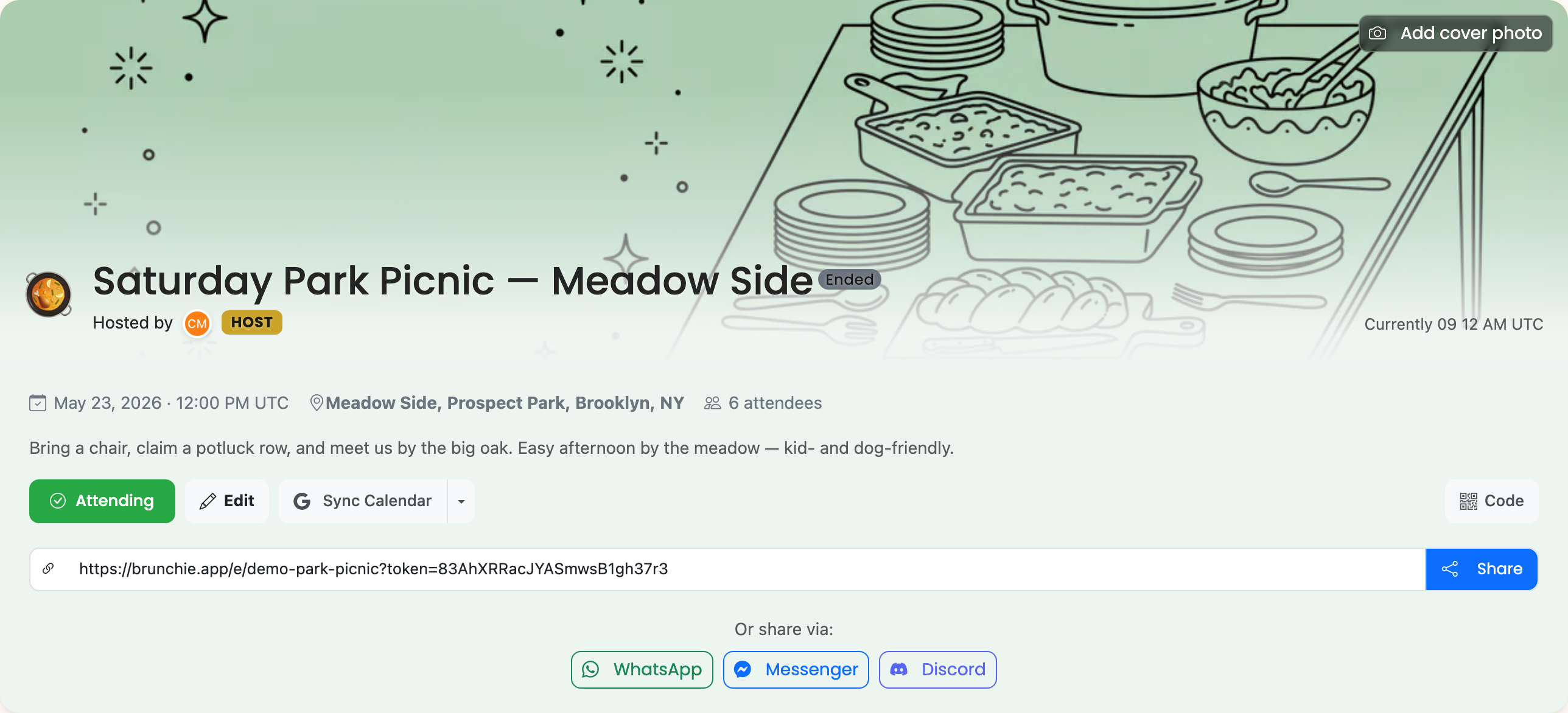
Use the "Outdoor Park Picnic (Potluck)" template. It includes a potluck sign-up spreadsheet and logistics survey.
The template comes with a pre-built spreadsheet organized by food category (mains, sides, drinks, desserts, supplies) and columns for who is bringing what and how many servings. It also includes a logistics survey for transportation and setup help.
Step 2: Share the potluck sheet
Guests add what they're bringing—main, side, drink, or dessert. No more ending up with 10 bags of chips.
Coordinating the potluck
A well-organized potluck spreadsheet prevents duplicate dishes and makes sure you have a balanced spread. Here is what to include:
| Category | Item | Who's Bringing | Serves |
|---|---|---|---|
| Main | Pulled pork sliders | Alex | 12 |
| Side | Pasta salad | Jordan | 8 |
| Side | Fruit platter | Sam | 10 |
| Drink | Lemonade (2 pitchers) | Taylor | 15 |
| Dessert | Brownies | Morgan | 12 |
| Supplies | Paper plates + napkins | Riley | 20 |
Set up your spreadsheet with these columns and share the hangout link. Guests claim their item by adding their name. You can see the sign-up fill in real time.
A few potluck coordination tips:
- Set category targets: Aim for 2-3 mains, 3-4 sides, 2 drinks, and 2 desserts for a group of 12-15. Adjust based on your group size.
- Include a supplies row: Someone needs to bring plates, cups, utensils, a blanket, and trash bags. Make it visible so it does not get forgotten.
- Note dietary restrictions: Add a column for allergens or dietary notes (vegetarian, gluten-free, nut-free) so guests can plan accordingly.
- Suggest serving sizes: A good rule of thumb is each item should serve at least half the group.
Step 3: Coordinate rides
The survey asks who needs a ride and who can offer one. Headcount and transportation sorted in one place.
For larger groups, create a simple ride-sharing section in the spreadsheet:
- Drivers: List who is driving, how many seats they have, and where they are departing from.
- Riders: Guests who need a ride note their pickup area and the driver they are riding with.
- Parking: Add a note about parking availability at the park. If the lot is small, carpooling saves stress.
Step 4: Share the schedule
Meet at the lawn, lunch is served, outdoor games—everyone knows when and where.
New: the map, who-can-edit, and the photos
A few recent additions make a park picnic even easier to run:
- A map of the spot. Add the picnic location, the parking lot, and the rain-backup shelter to the itinerary from address autocomplete, and each one drops a pin on the hangout map — so the friend who's never been finds the exact lawn, not the wrong entrance.
- Per-guest permissions on the sign-up. The potluck sheet and any checklist now carry a visibility setting: make it editable to all guests so people claim their own dish, while a separate hosts-only checklist holds your setup run. A clear badge shows each one's setting. See the spreadsheets guide.
- A shared album. Everyone uploads the day's photos straight from their phones into one place, instead of scattered camera rolls.
- Ask Benny. Point guests at the in-hangout concierge for "where do we meet?", "is there parking?", "is it BYOB?" — answered straight off the hangout. See the Ask Benny guide.
- An RSVP-by date. Set a deadline so your headcount is real before you plan servings.
Use cases
- Casual weekend hangout: Low-effort potluck with friends. Everyone brings one thing and you have a feast.
- Birthday in the park: Combine with the birthday template for a party setup. Add a poll to vote on the park location.
- Company team outing: Use the spreadsheet for sign-ups and the itinerary for team activities and games.
- Holiday cookout: Fourth of July, Labor Day, or any holiday gathering. The potluck sheet keeps the food organized while the itinerary handles the schedule.
- Kids' playdate picnic: Parents coordinate snacks, activities, and carpool logistics in one place.
Tips
- Pick a park with a pavilion or shelter in case of rain. Add the backup plan to the hangout description.
- Send the potluck link at least a week in advance. Last-minute sign-ups lead to gaps in the menu.
- Bring extra ice and a cooler. It is the one thing everyone forgets.
- Use the itinerary to note sunset time if you are planning an evening picnic.
- For ideas on planning seasonal outdoor events, check out our holiday party planning post.
Try Brunchie free
Brunchie replaces the spreadsheet, the group chat, and the half-finished invite list. Free forever for the people we built it for.
Get started