Photobooth Guide
Your wedding's shared photo album lives inside the hangout — photos, videos, GIFs, voice memos, and a post-wedding feed you can revisit forever
The photobooth: your shared album, already built in
You don't need a QR code printed on a napkin, a third-party photo app, or a Dropbox link blasted into the group chat. Brunchie's photobooth is a shared media feed that lives right inside your hangout — guests post from the same place they RSVP'd, checked their seating chart, and read the itinerary. No extra apps, no extra accounts.
By the time the reception is over, the album assembles itself.

What guests can post
The photobooth feed lives on the hangout's Album tab. Each post is a short caption (up to 300 characters) plus up to five attachments — uploaded straight from a guest's device. No separate in-app capture mode, no special hardware. The feed renders whatever you throw at it:
- Photos — single shots or a multi-photo strip, displayed as a swipeable carousel
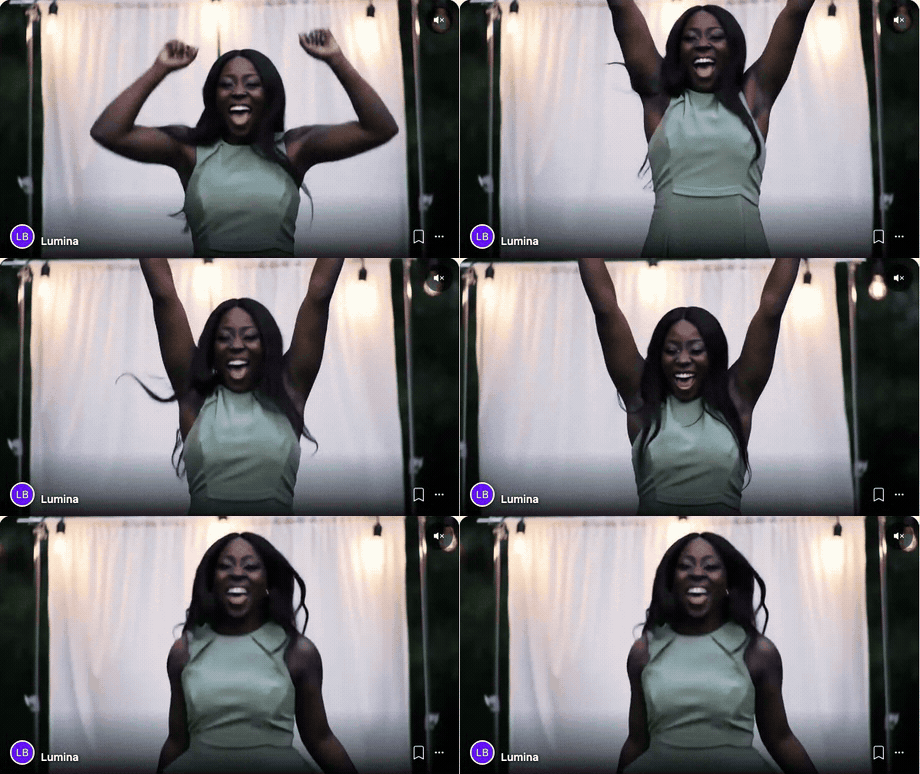
- Videos — short clips, including looping GIFs; they autoplay muted as guests scroll (tap to unmute)
- Voice memos — upload an audio clip and Brunchie pre-computes the waveform, so other guests see the audio shape before they press play
- Docs — the occasional PDF (a printable, a song-request sheet) rides the same feed
Without this, every format splinters. Photos go to a shared Google album (if guests bother to join it). Videos get airdropped or texted in a chain that dies three days after the wedding. Voice memos get emailed as attachments nobody plays. Docs live in a link the MC reads aloud once. Four separate places, four separate steps — and the couple spends their first week of marriage chasing down files.
Every format — photo, video, GIF, voice memo, doc — feeds the same album. No chasing, no assembly required.
The couple gets a single, live record of their wedding night assembled automatically. Not a task on the after-honeymoon list — it's just there, already organized, already shareable, already permanent.
Every post also carries an audience toggle: the View as and post for control at the top of the composer switches between All Guests and Hosts. A Hosts post — caption and media — is visible only to the couple and cohosts. Everything else collects in the shared Album tab for every attendee.
Real talk: the Sunday after a wedding should not involve sorting 600 photos from six different sources. This is the version where it doesn't.
The guest experience
- Open the hangout link (no app download required to view; posting requires being an attendee)
- Open the Album tab
- Type a caption and tap Add to attach up to five files — photos, video clips, a voice memo, or a doc — straight from your device
- Leave the audience on All Guests, or flip it to Hosts for a couple-only post, then tap Post
- Scroll the feed to see what everyone else posted, react with emoji, leave comments
That's it. The same loop a guest already knows from the RSVP and the seating chart — same hangout, same nav.

What the feed looks like
Posts stack in reverse-chronological order. Videos autoplay muted as guests scroll; a tap unmutes. Voice memos show the waveform and a play button — guests tap to listen. Reactions (emoji) appear inline under each post. Comments thread below reactions.

The Lake Como demo wedding ships with a full reception's worth of booth uploads — photo strips, a GIF, a video clip, and voice memos from the bridal party, all posted by the "Lumina Booth" vendor — so the couple gets a realistic sense of what a packed wedding album looks like before a single real guest posts.
Hosts: moderation and visibility
Hosts can delete any post from the feed. There's no separate moderation queue — it's a direct remove. If a guest posts something that shouldn't be there, a host taps the post, taps the overflow menu, selects Delete. The post is gone from the feed for everyone.
The audience toggle works at the level of the whole post, not just the caption: a Hosts post — caption and media — is hidden from guests entirely. If a guest's post should never have been public, delete it; if the couple wants something kept off the guest feed, post it as Hosts in the first place.
Hosts also see who posted what in the feed (by display name). Guests see display names too — no anonymous posting.
The part nobody warns you about: you won't actually need to moderate much. The feed is tied to real invited guests, not anonymous strangers — your aunt knows it's your wedding. But when you do need to step in, one tap and it's handled. No tickets, no appeals process, no waiting.
Post-wedding feed preservation
The album doesn't evaporate when the event date passes. The hangout stays open, the photobooth feed stays intact. Guests can return weeks later, scroll back through the night, listen to the voice memo from grandma's toast, and download anything they want.
This is the part that usually gets lost. Google Photos shared albums require everyone to add photos manually after the fact. Airdrop chains die in the group chat. Brunchie's feed was live during the event and stays live after it — same link, same album, no assembly required.
Hosts can close the hangout to new posts at any time (toggle in hangout settings) while keeping the archive readable. You get a frozen-in-amber album with read access for everyone who was there.
Photobooth + the rest of the wedding hangout
The photobooth doesn't live in isolation. It's one tab in the same hangout that has the seating chart, the multi-itinerary, the Docs tab with contracts and waivers, and the registry checklist. Guests who came for the seating chart and stayed for the schedule stumble into the photobooth naturally — one more reason the album fills up on its own.
For the full wedding setup walkthrough, see the Wedding Setup Guide and the Wedding Planning guide.
Got a pro photo booth? It can feed the album too
If you're hiring a photo-booth company (LumaBooth, dslrBooth, or similar), their booth can post every shot straight into this same album — automatically, as the night goes. No QR-to-a-Google-album handoff, no "we'll send the gallery next week." The couple's booth pictures land in the feed right next to the guest phone photos.
You can also roam: open the booth on a phone and walk the floor snapping candids, and those drop into the album too. Either way it's one assembled album by the end of the night.
The host sets it up in seconds from Tools → Connect a photo booth and hands the vendor a connection link and a key — see the Connect a Photo Booth guide for the vendor-side steps.
Run the photobooth feed on the lobby TV
If the venue has a TV, you can stream the photobooth feed straight to it. Open the Tools tab (rightmost tab, visible to hosts and cohosts only), find the Photo booth stream card, and tap Open in new tab — that URL is your TV's kiosk page. Scan its QR code with the TV browser if you prefer. Latest upload heroes for a few seconds, then folds into the rotation. Booth shots, guest phone photos, voice memos — all of it on the screen, live, with private "hosts-only" posts filtered out automatically.
See the Presenter Mode guide for the walkthrough and Photo Slideshow on the TV for the use-case story.
Common questions
What can guests post to the photobooth?
Can I upload full-resolution DSLR or phone photos?
How long does the album stay live after the wedding?
Can I moderate or delete photos?
Do guests need an account to post?
Is the photobooth free?
Try Brunchie free
Brunchie replaces the spreadsheet, the group chat, and the half-finished invite list. Free forever for the people we built it for.
Get started