Guida al Check-in degli Eventi
**Entrata ospiti agli eventi con codici QR** — niente clipboard o fogli di calcolo
Event Check-In with Brunchie
Check in guests quickly with QR codes. Guests show their code, you scan — done. No clipboards, no spreadsheets, no chaos.
Step 1: Create your event
Create a hangout in Brunchie and add your event details. Each attendee gets a unique QR code when they join.
Step 2: Share the event link
Send the event link or QR code to guests. They can join via link, QR, or email invite — no app download required to RSVP.
Step 3: Check in at the door
Guests show their personal QR code on their phone. Use the Scan button to check them in. Seating assignments and attendee lists stay in one place — no digging through papers.
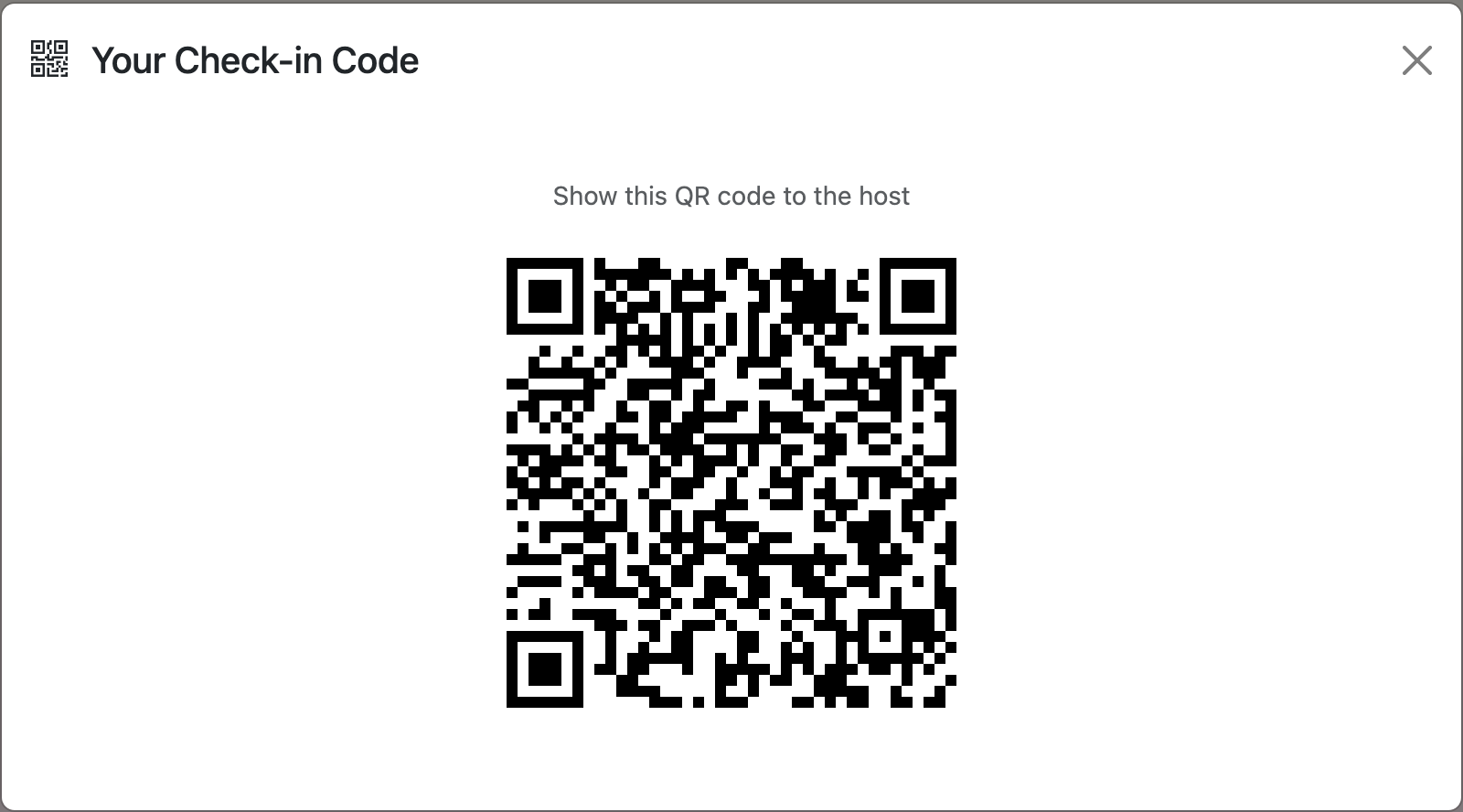
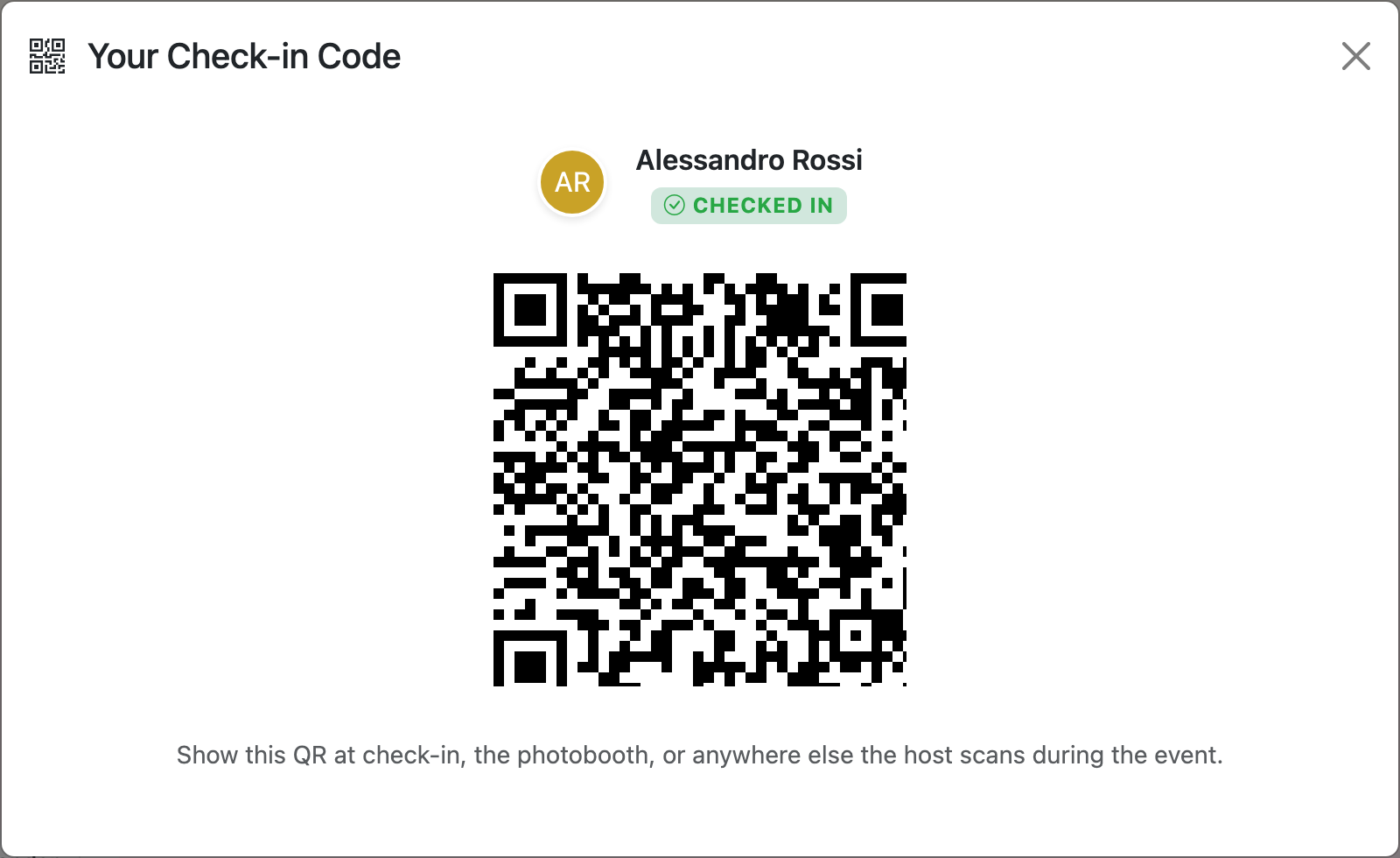

Tip: pair with the lobby TV
Check-in usually has a line. While guests wait, throw the event info countdown up on a TV nearby — title, live countdown, venue QR for the parking lot stragglers. Or run the seating chart on the screen so people who've already checked in can find their table without asking. See the Presenter Mode guide for both modes.
Common questions
Yes—guests can **check themselves in** as long as you set up **self check-in** for your place. With self check-in, guests can **access the property without you being there**, usually using: - **Smart locks or keypads** (they enter a code or use their phone to unlock the door)[2][3][6] - **Lockboxes** with a physical key inside[2][3][6] - **Digital keys / concierge apps** that send a virtual key or code to their phone[1][2][4] Once you’ve shared the instructions and any codes in advance, guests can **let themselves in anytime after your set check-in time** without meeting you in person[2][3][6].
If a guest shows up without their phone or QR code, no problem — you can still check them in manually using their details. Here’s how to handle it in a simple, low‑stress way: - **Look them up by name or details**: Just search your guest list by their name (or email, if needed) and mark them as checked in — same result, just without the scan. - **Use a backup list**: Keep a printed or on-screen guest list handy at the door so you can quickly confirm they’re invited and tick them off. - **Give them anything they need physically**: If your event uses badges, drink tickets, or table numbers tied to the QR, you can hand those over once you’ve confirmed them on the list. - **If your system needs a code**: You (the host) can pull up their QR on your own device from the dashboard and scan it on their behalf, or just override with a manual check‑in option if your tool supports it. The idea: QR makes things fast when it works, but every guest should still be able to get in smoothly with just their name.
Posso vedere chi **non ha ancora fatto il check-in**?
Sì, la TV della lobby può mostrare lo **stato del check-in** (ad esempio se un ospite/paziente è “in attesa” e la sua posizione in coda), a patto che sia collegata a un sistema di gestione code o check-in compatibile. In pratica: - Con un software di **lobby display / gestione code**, la TV può mostrare lo stato di chi si è registrato: posizione in fila, nome abbreviato, orario di check-in, chi lo sta servendo, ecc.[1] - Alcuni sistemi di **check-in medicale** mostrano sulla TV lo stato del paziente, per esempio “Waiting”, dopo che il personale ha confermato la presenza, aggiornando automaticamente il display ogni pochi secondi.[2] Quindi sì: se usi Brunchie insieme a un sistema di visualizzazione in lobby compatibile (o una pagina web pensata per la TV), la TV in lobby può far vedere in tempo reale lo stato di check-in degli ospiti.
**Yes — the QR check-in feature is free** on some plans/providers, but not always. For example, rsvpBOOK says its QR code event check-in is included for free, while other platforms offer only a free trial or charge for paid tiers and advanced features.[2][4][3] If you want, I can also help you word this as a short FAQ answer for Brunchie.
Try Brunchie free
Brunchie replaces the spreadsheet, the group chat, and the half-finished invite list. Free forever for the people we built it for.
Get started